

Share in Obsidian
Publishing requires desktop Obsidian and an authenticated GitHub CLI:
gh auth login
gh auth status
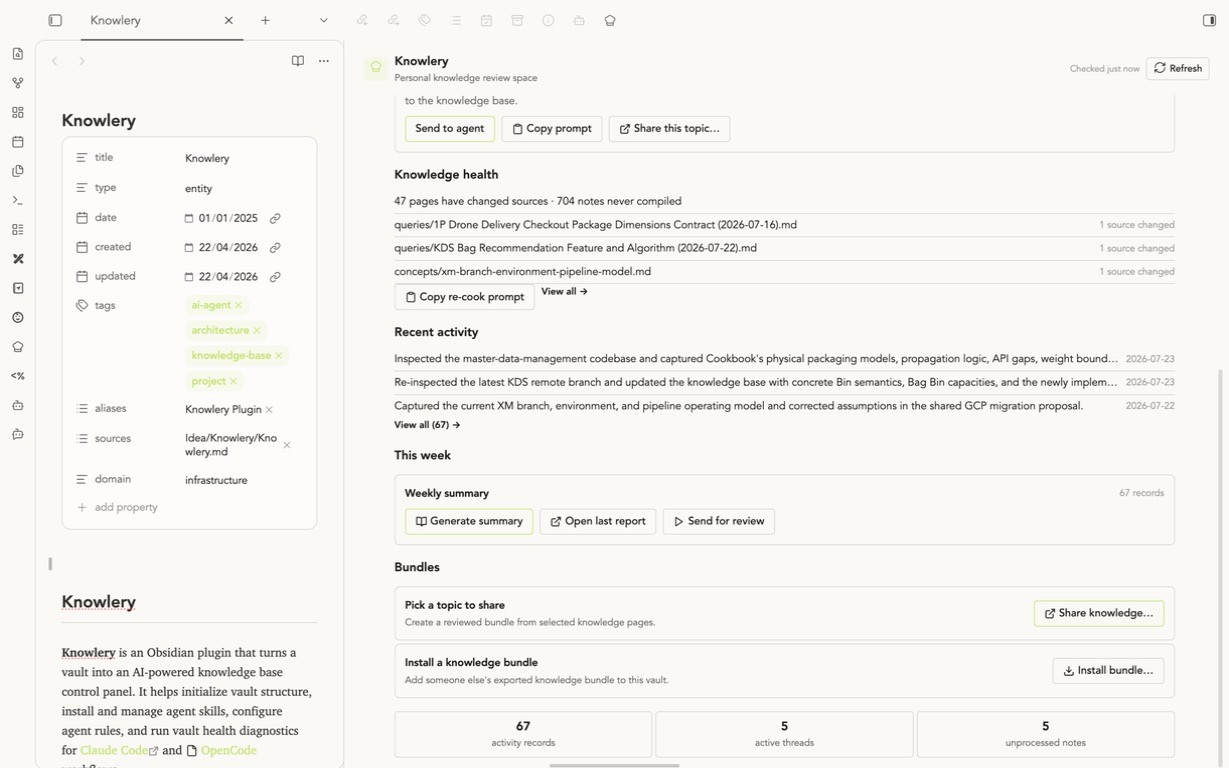
1. Open the flow
- Dashboard → Bundles → Share knowledge…
- Command palette → Knowlery: Share knowledge bundle…
- Right-click a knowledge page → Share this topic…
The page-menu entry preselects that page as the seed. Otherwise, name the topic and add one or more seed pages.
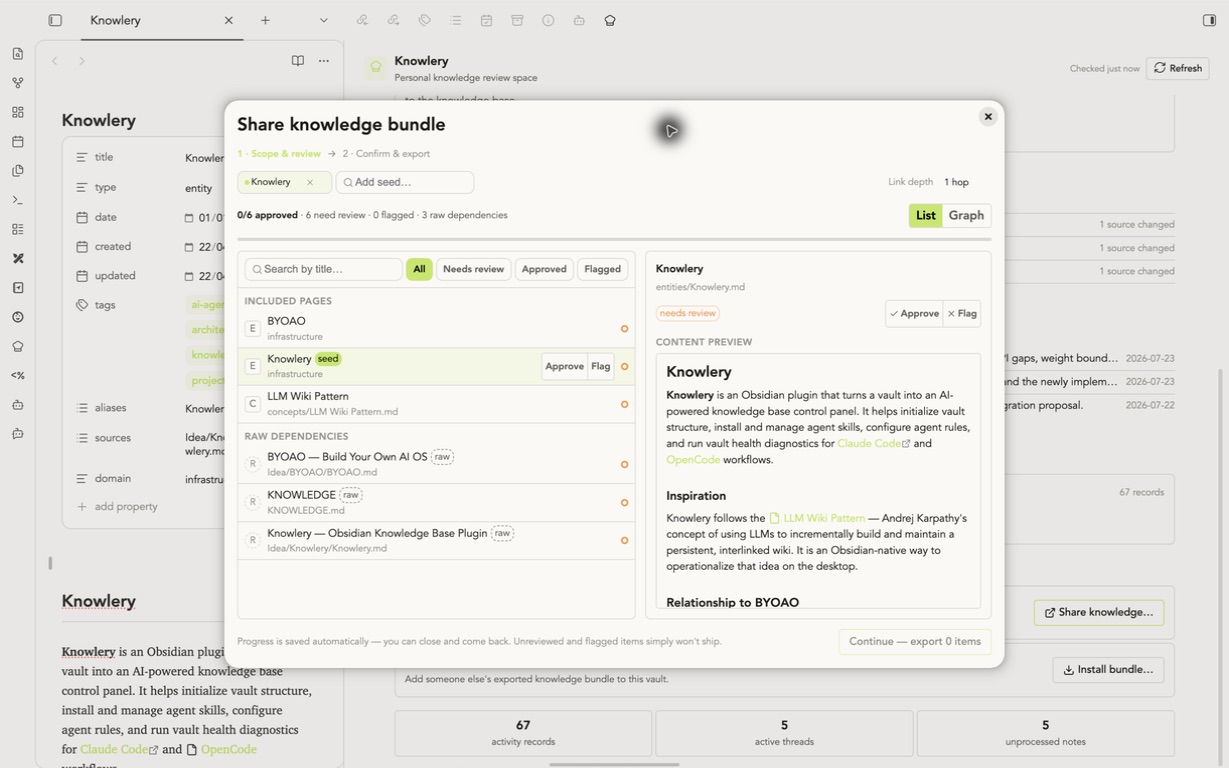
2. Review the scope
Start with 1 hop so the scope is practical to read. Approve includes an item, Flag excludes it while preserving the decision, and Needs review remains excluded. Read the preview and every risk hint. Progress saves automatically.
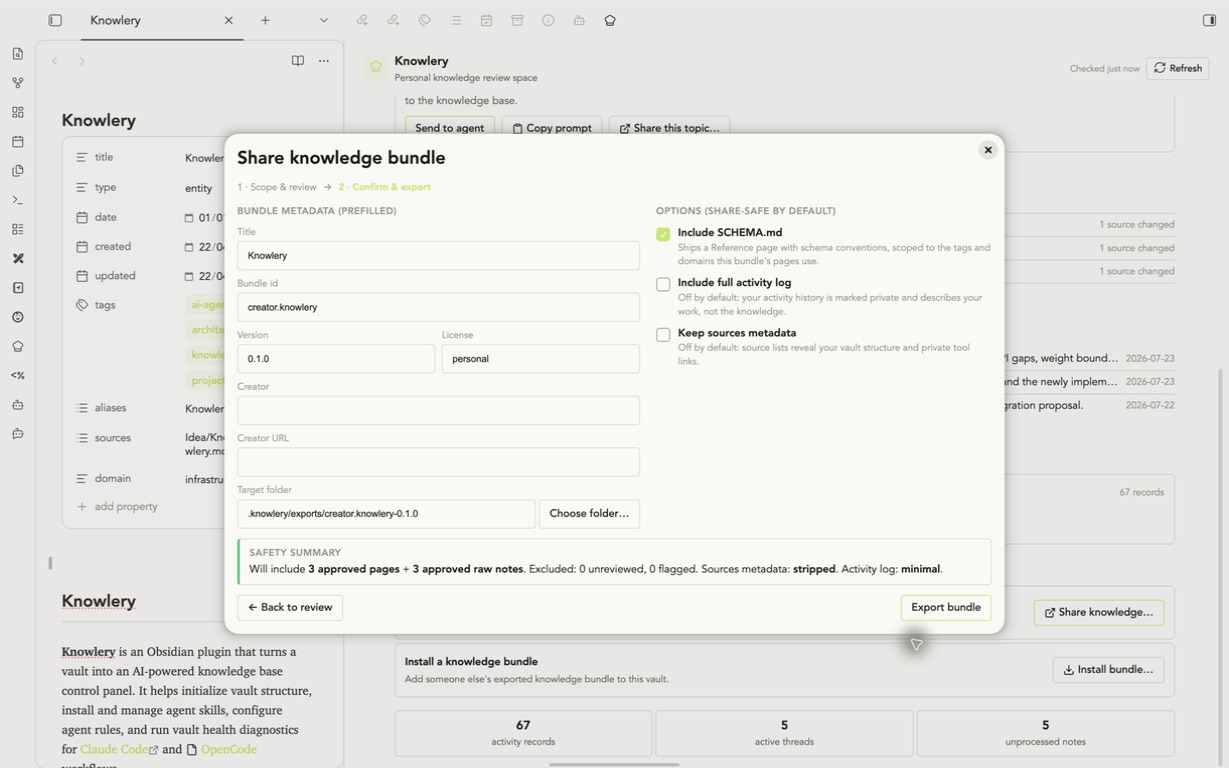
3. Confirm and export
Check the bundle ID, version, license, and creator. Start at 0.1.0 and bump the version for every later release. Keep SCHEMA.md enabled; leave full activity logs and source metadata off unless you reviewed those additions. Click Export bundle.
4. Publish
In Publish to GitHub, enter owner/repository, select Private or Public to match its actual visibility, and click Publish. Knowlery can create a missing repository only as private.
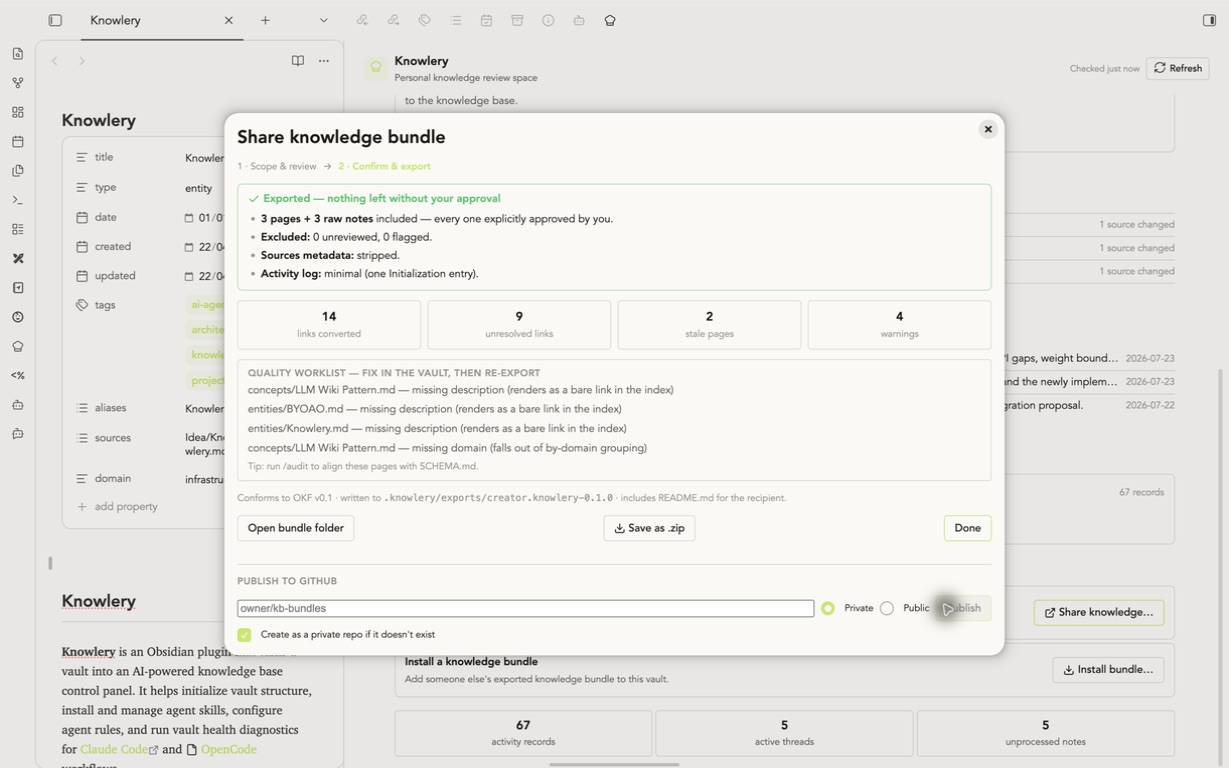
Select Public for an existing public repository
The choice activates the public-risk gate; it does not change GitHub repository visibility.
Share the complete knowlery bundle install ... --verify sha256-... line. If gh is unavailable, the result page provides the manual Release steps.